What's New
The What's New page is updated bi-weekly to inform you about the latest releases and updates done within Corpay Cross-Border. Check back regularly for updates!
If you do not have access to a specific product or feature and would like more information, please contact your account representative for assistance or reach out to our support team.
December 3, 2025
Year-End Recap: Product Highlights
As 2025 comes to a close, here’s a look at the key product updates and improvements rolled out for Corpay Cross-Border this year:
Key Releases
-
Compliance Center: Allows financial institutions to pre-screen wire payments against global sanction lists (OFAC, UN, FBI). Users can also generate AML reports, manage private lists, subscribe or unsubscribe from sanction lists, and print sanction review case details.
Note: Compliance Center is currently available only to financial institutions (including banks and credit unions) that are subject to OFAC regulations. Please speak with your account representative for more information.
Learn more → Compliance Center -
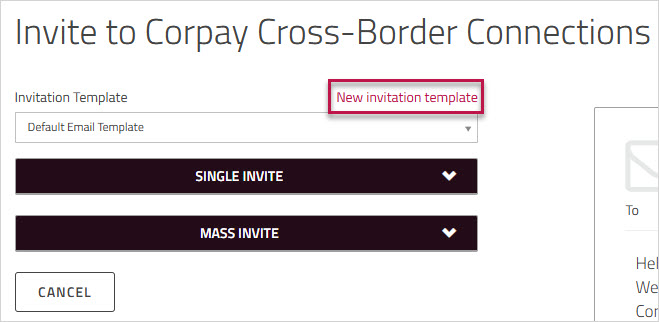
Connections Corporate Vendor Onboarding: Corpay Cross-Border Connections and the Connections platform now support collection of bank details for payments to Corporate beneficiaries, in addition to individual vendors.
Learn more → Inviting a payee to Corpay Cross-Border Connections -
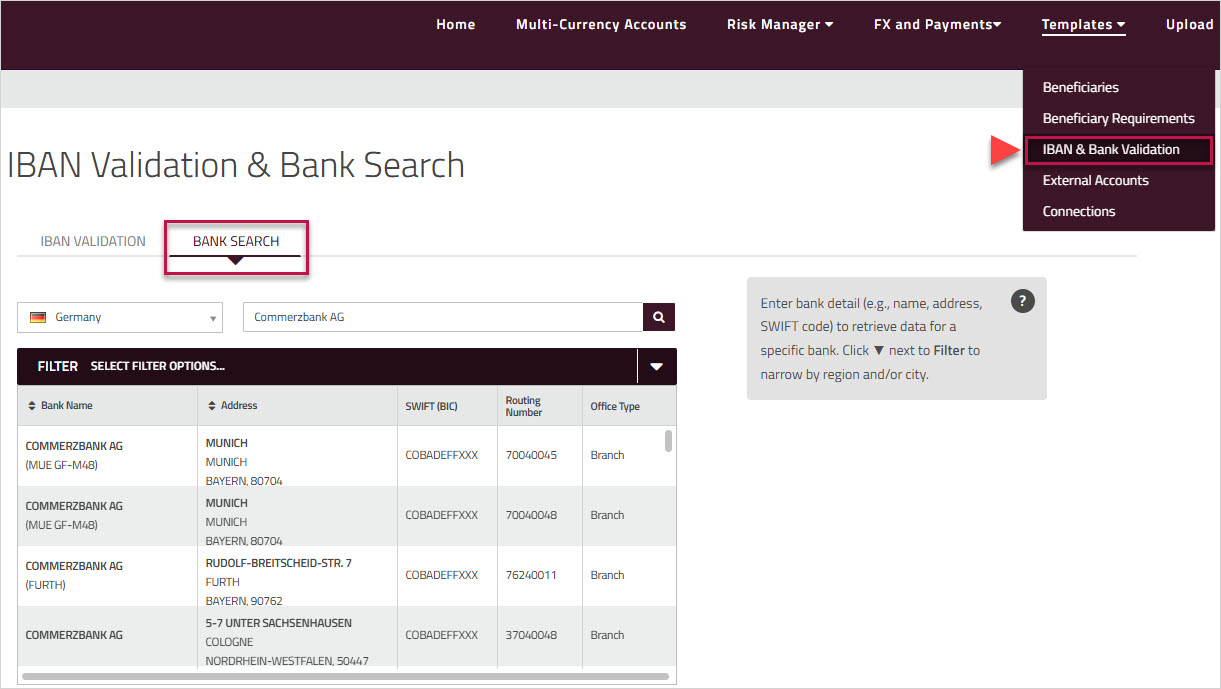
IBAN Validation Tool can now be accessed directly from the Templates menu.
Learn more → IBAN Validation -
Manage Affiliate Payments: Parent-level approvers can now operate as a child and complete payment bookings on behalf of their child entities that do not have booking permissions.
Learn more → Booking Affiliate Payments -
Role-based Approval: Assign specific user profiles to each payment-approval level, ensuring only users linked to the selected profile can view and approve payments. Please contact your account representative to set up role-based payment approval workflows.
Learn more → Approving payments -
Treasury Management Solutions (TMS) is now integrated with Corpay Cross-Border. Users with access enabled can use the TMS dashboard featuring Balance Sheet Hedging, Cash Flow Hedging, and Intercompany Netting Manager to support their treasury management workflow. Please contact your account representative to request access.
ISO 20022 Support
Corpay Cross-Border has transitioned to the ISO 20022 (MX) message format for cross-border payments. Effective November 22, 2025, all cross-border payments will default to ISO 20022 (MX) message format. Payment message copies can still be accessed in the same location on the platform; however, the format has changed from MT (legacy SWIFT) to MX (XML-based ISO 20022). Historical payments made before November 22, 2025, are not impacted. Corpay will continue to display both MT and MX formats. Please speak with your account representative for more information.
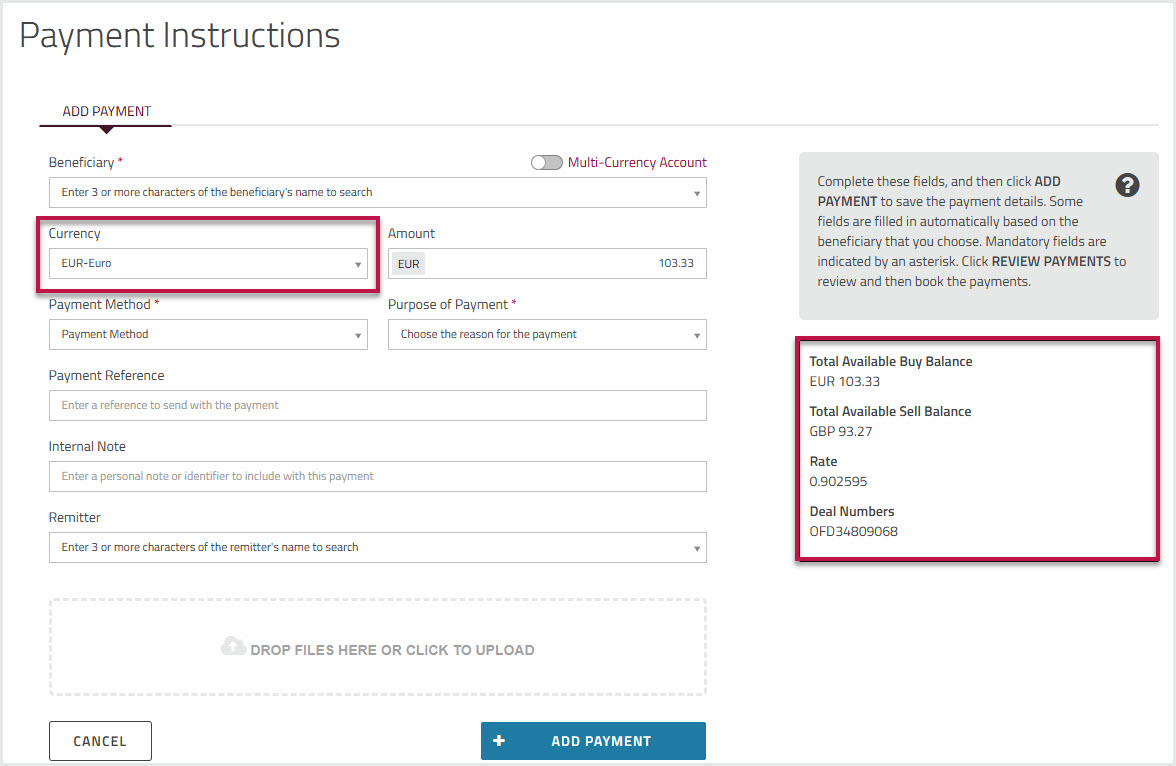
Learn more → Payments GPS payment summary box
Reporting and Audit Updates
-
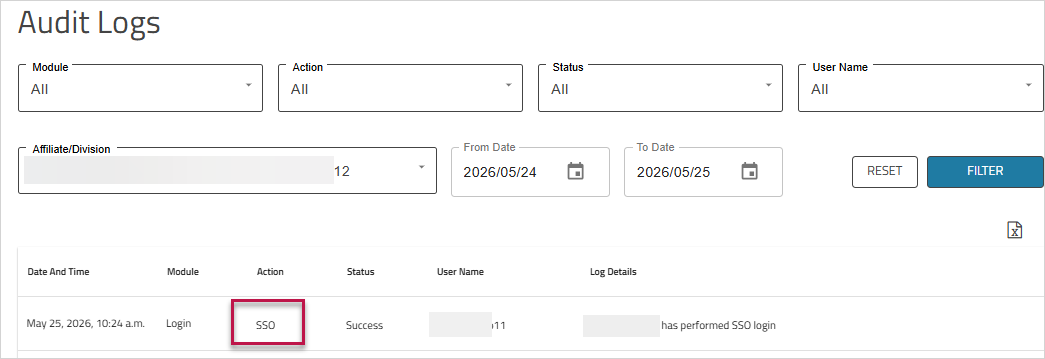
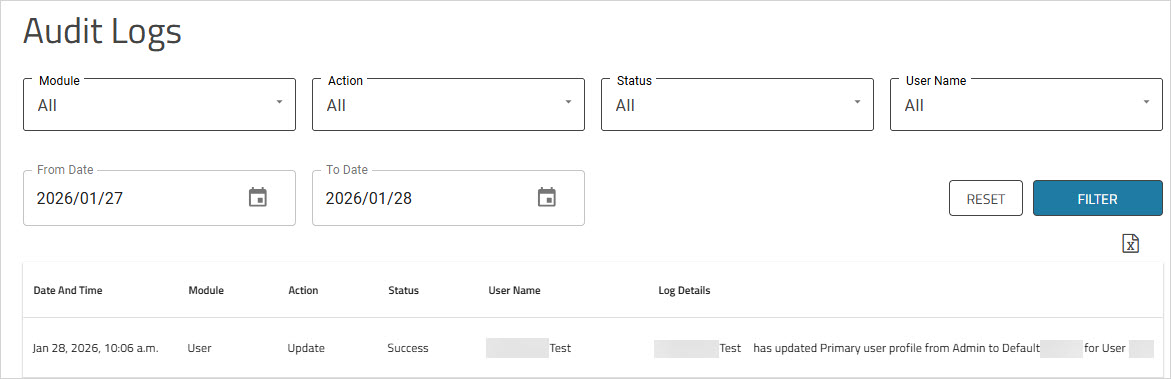
Audit Logs now track file uploads and payment related activities. A new Affiliate/Division filter enables parent accounts to view logs for their child accounts (if applicable).
Learn more → Audit Logs -
New Payments in Progress report added for real-time visibility.
Learn more → Payments in Progress -
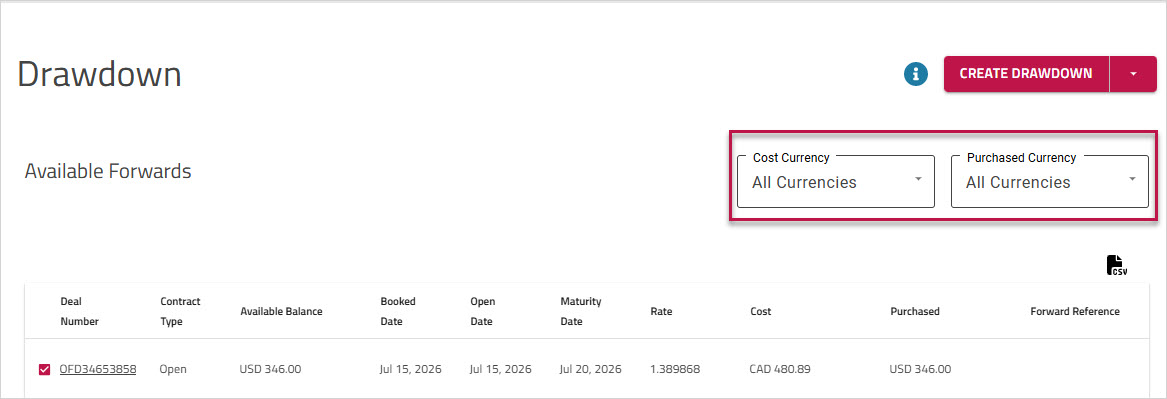
Corpay Cross-Border Forwards Reports now include Forward Reference, and users can export a list of the forward contracts with available balances to a CSV file.
Learn more → Drawing down against a Forward -
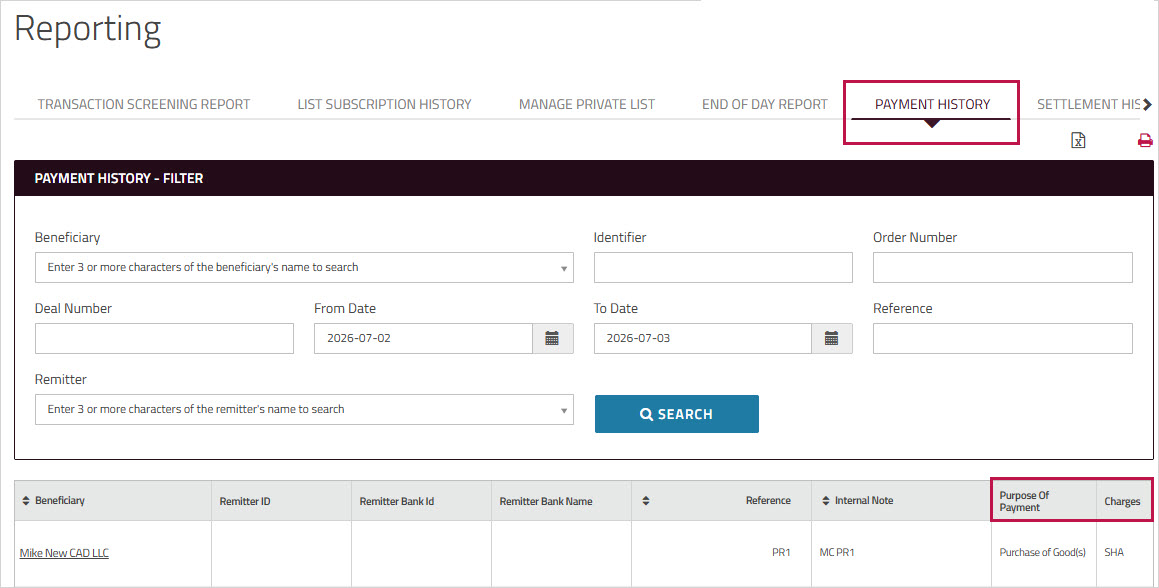
Filter by Deal Number in Payment History, Settlement History, and Deal History reports.
Learn more → Reports -
Settlement History Report now shows Remitter for incoming payments and the Remittance Details (incoming payment reference) for payments into Named Multi-Currency Accounts.
Learn more → Settlement History report -
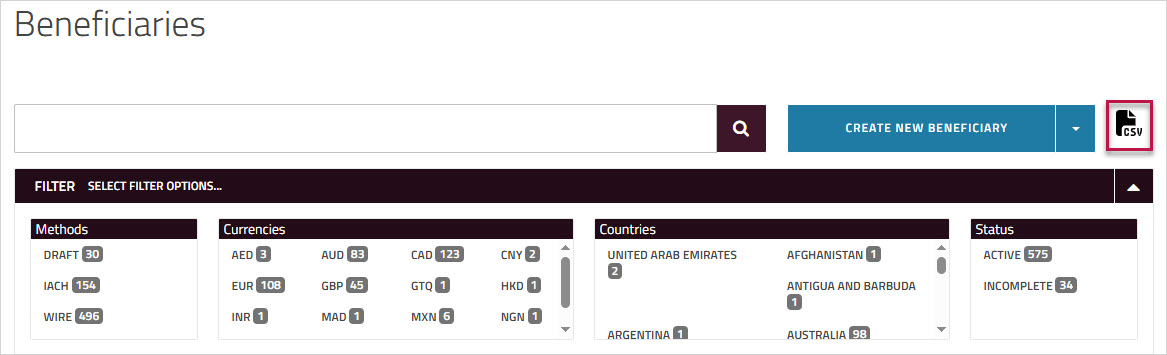
Export user details to a CSV file from the User Administration page
Learn more → User Administration
Feature Improvements
-
Assign and manage custom nicknames for Multi-Currency Accounts (MCA) to simplify account identification. MCA nicknames can also be included when submitting payments via File Upload.
Learn more → Renaming a Multi-Currency Account -
Add FFC (For Further Credit) details to beneficiaries.
Learn more → Entering additional beneficiary information -
Payments Awaiting Approval page updates:
-
View FFC and Remitter details (if available) in the Payment Detail screen. The payment details can also be exported to a PDF.
-
The checkbox for Approve All payments is now deselected by default to prompt users to review payments individually before approval.
Learn more → Approving payments
-
-
Batch draw down multiple forward contracts using a single template file via File Upload.
Learn more → Drawdown using File Upload -
Set field as mandatory across all payment flows in Corpay Cross-Border. Please speak with your account representative to enable the configuration.
Learn more → Making a payment -
SFTP upload is now compatible with payment approvals, allowing users with approvals configured to submit payment files via SFTP. Please speak with your account representative to enable both SFTP upload and approvals.
Security and Compliance Updates
-
Minimum password length requirement for Corpay Cross-Border increased from 8 to 12 characters for stronger security. This change does not affect the current password, and no action is needed unless users choose to update it (effective Jan 24, 2025).
Learn More. -
Mandatory one-time reset of security questions (effective Feb 28, 2025).
Learn More -
Valid region and postal code required for bank and beneficiary addresses in payments made to the United States and Canada to meet FINTRAC requirements (effective Apr 4, 2025).
Learn More -
Mandatory one-time acceptance of updated Terms & Conditions upon login (effective May 19, 2025).
Learn More -
Multi-Factor Authentication (MFA) is required for users in EU and UK when deactivating a beneficiary or submitting payments via Make Payment, File Upload, Spot Trade, or Forward Drawdown to align with EMEA regulations.
Learn More
UI Updates
-
Renamed My Accounts to Multi-Currency Accounts and moved it from Templates to the main navigation for improved clarity and easier access.
Learn more → Multi-Currency Accounts -
New sub-menu added under Templates to display bank accounts used for settlements with Corpay.
Learn more → External Accounts -
Customize the UI to feature Multi-Currency Accounts grid on the dashboard, and hide or display and payments screens for specific users. Please speak with your account representative to enable the customizations.
-
Corpay Cross-Border Help Guide updated with a modern look and a more organized layout.
Thank you for your support this year. We look forward to another great year together!
Previous Releases
Multi-Factor Authentication (MFA) Enhancement
Clients in the UK and EU enabled for MFA will now be required to authenticate when deactivating a beneficiary or submitting payments in Corpay Cross-Border via the following workflows:
- Make Payment
- File Upload
- Spot Trade
- Forward Drawdown
Users will be prompted to select their configured authentication method, and on successful verification, they can proceed with the requested action. This update improves security and prevents unauthorized transactions in alignment with regulations in EMEA.
Learn more → Multi-Factor Authentication
Payments Awaiting Approval Page
The Payment Detail screen, accessed by clicking the Beneficiary name, now displays the Bank Account Number and the Routing Code under the Beneficiary Information section. ![]()
Learn more → Approving payments
Payments Awaiting Approval Page
We made the following enhancements to the Payment(s) Awaiting Approval page to prevent errors and improve the user experience:
-
The Payment Detail screen, accessed by clicking the Beneficiary name, now displays the FFC and Remitter details(if available). Additionally, users can also export the payment details to a PDF for sharing or approval.

-
The Approve All checkbox is now deselected by default, prompting users to review each payment individually before approval.

Learn more → Approving payments
Corpay Cross-Border Connections — Corporate Vendor Onboarding
Corpay Cross-Border Connections and the Connections platform are now enhanced to support Corporate vendor setup and account creation, in addition to individual vendors.
The onboarding process for Corporate vendors is similar to that of Individual vendors. A new option is introduced to select the type of invitee, Individual or Corporate when sending a single invite. The mass email template is also updated to support bulk corporate invites. Corporate payees can then click the link in the email to create their Connections accounts.
Please reach out to your account representative for more information.
Learn more → Connections
Manage Affiliate Payments
Parent-level approvers can now operate as a child and complete payment bookings on behalf of their child entities that do not have booking permissions.
Upon approving a payment, parent-level approvers will see a new View Affiliate Payments option on the Payments Approved screen. Selecting this will redirect them to the new Affiliate Payment(s) Awaiting Booking screen, where they can operate as an affiliate to complete the booking. Alternatively, this screen can also be accessed via the new affiliate Action Item added on the dashboard, Affiliate payment(s) awaiting booking.
This update enhances visibility and control for clients managing multiple affiliates and ensures payments are not delayed when child entities lack booking rights.
Learn more → Approving payments
IBAN Validation Tool now accessible from Templates menu
The IBAN Validation Tool is now available directly under the Templates menu. Previously, users could only access this tool while creating beneficiaries. With this enhancement, all users, including those with read-only permissions, can directly validate the IBAN provided by the client without creating a beneficiary.
Learn more → IBAN Validation
Multi-Currency Accounts
We’ve made an enhancement to the Multi-Currency Accounts grid to improve clarity. Deactivated accounts now appear at the bottom of the list and are labeled as Deactivated. Settlement Instructions will not be available for these accounts.
Learn more → Multi-Currency Accounts
Multi-Currency Accounts Navigation Changes
We’ve introduced improvements to make navigation simpler and more intuitive:
-
The Multi-Currency Accounts menu has been relocated from the Templates menu to the main navigation menu for quicker access and easy management. This page provides a comprehensive view of the Multi-Currency Accounts balances and transaction history. Learn more → Multi-Currency Accounts
-
A new External Accounts sub-menu has been added under the Templates menu. This page displays the bank accounts used for settlements with Corpay, previously shown in the Bank Accounts grid on the Multi-Currency Accounts page.Learn more → External Accounts
Export User Admin Details
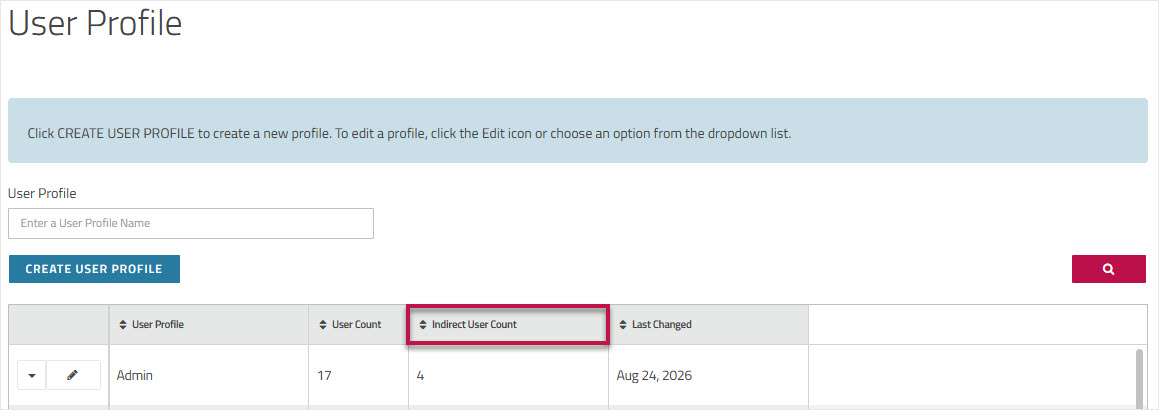
We added a new export option to the User Administration page enabling authorized users to download the full user list, including affiliate profiles and limits, to a CSV file for audits and records.
Learn more → User Administration
Forward Trades
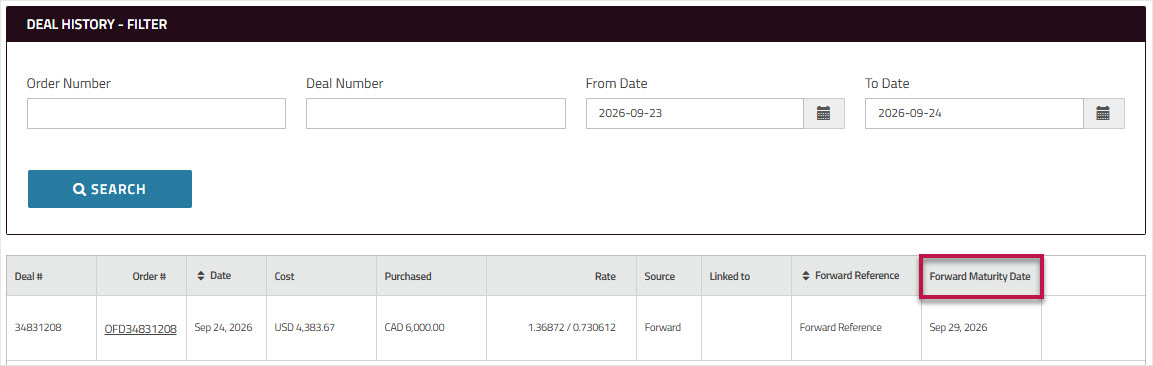
We've added a Forward Reference column to the Forwards grid on the Corpay Cross-Border Your Dashboard page and the Available Forwards page, allowing users to view the forward reference text without switching to the Deal History report.
Learn more → Forward Trades
Multi-Currency Accounts (MCA)
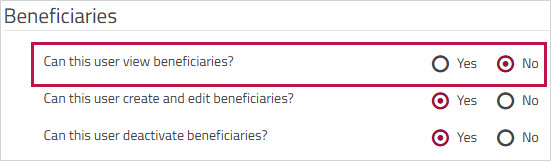
We’ve removed the MCA create/edit nickname permission from the Corpay Cross-BorderUser Profile permissions page. Now, all Multi-Currency Accounts users can assign nicknames to their MCAs without requiring additional permissions.
Learn more → Renaming a Multi-Currency Account
Export Forwards Data
Corpay Cross-Border users can now export a list of all forward contracts with remaining balances into a CSV file to track remaining forward balances.
Learn more → Forward Trades
Settlement History Report
The Settlement History report now includes Remittance Details column that will contain the payment reference from incoming deals. This update will help users with information when they receive third-party payments into their Multi-Currency Accounts. Note: This is currently available for Named Accounts only and will be extended to include payment reference details in additional accounts in our future releases.
Learn more → Settlement History report
Settlement Account Display
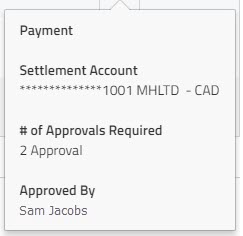
To make it easy for users to identify the correct payment account when making a payment, the Settlement Account dropdown now shows the account number on the first line, replacing the incoming template name. The bank and the incoming template name will now appear under the account number. If the account number is unavailable, the template name will appear first. This update applies to:
-
Add Payment - Settlement Account dropdown.
-
Make Payment - Review Payment(s) tab under the Settlement Summary and the Payment(s) Awaiting Booking grid.
-
All payment flows in Corpay Cross-Border where the Settlement Account dropdown is used.
Learn more → Making a payment
Corpay Cross-Border Connections
Connections vendors' email address will now display in the Corpay Cross-Border Connections Active grid under Contact Information.
Learn more → Connections
Audit Logs
Audit Logs will now track payment activities initiated through , including payments booked, withdrawn, approved, and reconciliation file download. It will also capture file status details for beneficiaries created and updated via File Upload. This enhancement improves tracking of payment and beneficiary related file upload activities initiated by the user.
Learn more → Audit Logs
Report Updates
We added the Deal Number filter and column to the following reports — Payment History, Settlement History, and the Deal History report. The Deal Number column is also added to the Today's Payment report. This update enhances clarity for users by enabling them to retrieve deals using the Deal Number provided in the deal confirmation email for dealer-booked deals (where the Order Number and Deal Number differ for a given record).
Learn more → Reports
Settlement History Report
The Settlement History report now includes Forward trades with associated settlement instructions, providing improved visibility into these trades.
Note: This change will only impact/benefit clients using both the Drawdown APIs and the Corpay Cross-Border Reporting module.
Learn more → Settlement History report
UI Guidance Text Enhancement
We've updated the guidance text displayed on when new users skip and do not complete the form when they log in. This update improves clarity and provides better instructions.
Learn more → User verification
New Filters Added
We've added new filters to the following Corpay Cross-Border pages to improve usability:
-
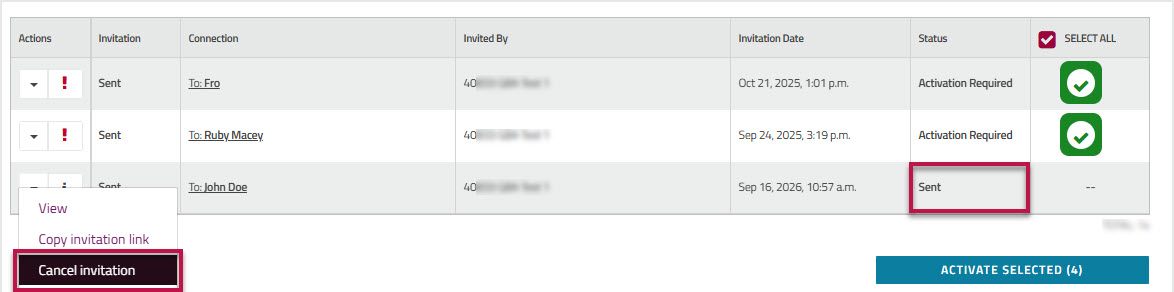
Added Status filter to the Connections grid, allowing users to filter and track bulk invites by status.

Learn more → Viewing your connections
-
Added Remitter filter to the Settlement History report, allowing users to identify and track payments received from third parties.

Learn more → Settlement History report
Audit Logs
We made the following enhancements to the Audit Logs module:
-
Audit Logs will now track File Upload user activities, including file upload, download, and removal of files (delete) from the Upload Center page.
-
We added a new Affiliate/Division filter to allow parent accounts to filter and view their child account logs. This filter will only be available if the user account has affiliates.
These enhancements improve tracking user file upload activities and enable access to child account logs.
Learn more → Audit Logs
Upcoming: Accept updated Corpay Cross-Border Terms and Conditions
We've changed our company name from FLT to CPAY. As part of our regulatory process, effective Monday, May 19, 2025, on your next login, you'll be prompted to accept the updated Terms And Conditions reflecting this name change to continue using the platform.
Note: This is a one-time update; all other terms and subsequent setup steps remain unchanged.
Multi-Currency Accounts (MCA) Nickname
We enhanced the MCA nickname feature to ensure users enter a unique nickname for the Standard or Named accounts in the same currency. A validation message will be displayed if the entered nickname is not unique. This update will prevent payment errors caused by duplicate nicknames when it is included in the Settlement Account column of the File Upload template.
Learn more → Renaming a Multi-Currency Account
Multi-Currency Accounts (MCA) Nickname
If users have assigned a nickname to their MCA account, they can now include the nickname in the Settlement Account column of the File Upload template. On successful file upload, the nickname will be displayed on the File Overview page under the Settlement Account column. This update improves clarity and makes it easier for users to identify the MCA account for settlement.
Learn more → Renaming a Multi-Currency Account .
Beneficiary Region and Postal Code Enforcement
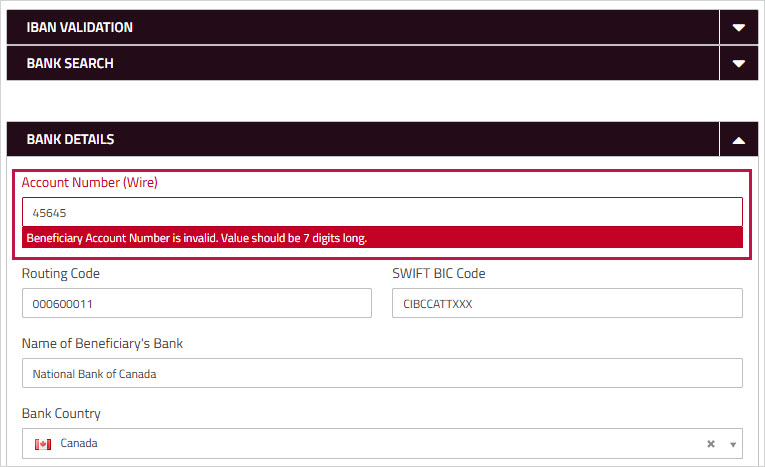
To comply with updated FINTRAC and related regulatory requirements, users are now required to enter valid region and postal code information for bank and beneficiary addresses in payments made to the United States and Canada. This update is enforced when creating or editing beneficiary information on Corpay Cross-Border via Beneficiary Templates, File Upload, or API. Invalid entries will trigger a validation message.
Learn more → Entering beneficiary contact information
Beneficiary Creation
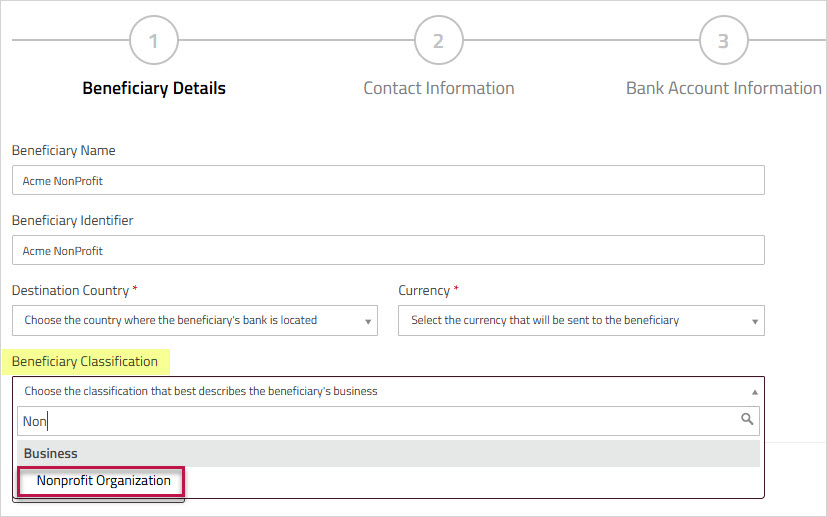
We've added a new field to the Beneficiary Creation form. This field is added under the screen in the section and allows you to specify the recipient who will receive the funds. This field is also included when creating or editing beneficiaries via or .
Learn more →Entering additional beneficiary information
Connections
We made the following enhancements to Connections:
-
Rejected connections due to expired invitations (labeled as Rejected Invitations) will no longer appear under the Action Items list on the Corpay Cross-Border Your Dashboard. This update improves clarity by displaying only relevant actionable items in the list. Expired invites will continue to be listed on the Connections page under the tab.
Learn more →Viewing your connections
-
When payees update their information in the Connections platform, you will not receive a notification to manually reactivate the connection. This update will now be automatically approved in Corpay Cross-Border, ensuring that the connection remains active for payments. This update aims to reduce the volume of reactivation requests for non-critical banking update changes.
Learn more →Accepting updated connection details
New Report: Payments in Progress
We've added a new Payments in Progress report in Corpay Cross-Border that gives you an overview of all the payments currently in progress, including payments initiated by your affiliates. This report consolidates information about these payments offering visibility into transactions related to your account and those of your affiliates.
Learn more →Payments in Progress
Feature Updates
Connections: Bulk Reactivate updated payee banking information
We've enhanced Connections vendor management with Bulk Reactivation now available to approve updated payee banking information. Now, you can reactivate multiple payee records at once when approving banking detail updates. This enhancement eliminates the need to reactivate each payee individually when approving updates.
Learn more →Accepting updated connection details
Multi-Currency AccountsNickname Tooltip
If a user assigned nickname for a Multi-Currency Account exceeds 18 characters, a tooltip will be displayed with the full text when hovering over the Account field. This update ensures users can view the long nickname without any truncation, improving clarity and accessibility.
Learn more → Renaming a Multi-Currency Account
Help Guide Update
The Corpay Cross-Border help Guide now features an enhanced user interface for a more intuitive experience. We've updated the font to a modern, more readable style and revamped the color scheme to improve navigation. We’ve also optimized the layout to make it more organized.
Security Update: Reset Security Questions
On Friday, February 28, 2025, after business hours (EST), we will implement an update that will require all Corpay Cross-Border users to update their security questions. After this reset, the new security questions will be prompted to recover access to the portal.
Note: This is a mandatory one-time reset and will not affect user account password, data, or current services.The update will be applied automatically after business hours and is specific to security questions and responses.
Reset instructions:
-
After the update is implemented, the next time the user logs in, they will be redirected to the Security Setup screen.
-
Choose three new questions and enter the answers.
-
Click Submit to apply changes.
If you’ve forgotten your password, please contact crossbordersupport@corpay.com for assistance. For any other questions, please reach out to your account representative.
Learn more → Setting or changing your challenge questions
Update: My Accounts
We renamed the My Accounts sub-menu and the product page title to Multi-Currency Accounts in Corpay Cross-Border to enhance product clarity and improve the user experience with a more intuitive UI.
Learn more →Multi-Currency Accounts
Upcoming: Security Question Reset
On Friday, February 28, 2025, after business hours (EST), we will implement an update that will require all Corpay Cross-Border users to update their security questions. After this reset, the new security questions will be prompted to recover access to the portal.
Note: This is a mandatory one-time reset and will not affect user account password, data, or current services. This change is specific to security questions and responses.
Reset instructions:
-
After the update is implemented, the next time the user logs in, they will be redirected to the Security Setup screen.
-
Choose three new questions and enter the answers.
-
Click Submit to apply changes.
If you’ve forgotten your password, please contact crossbordersupport@corpay.com for assistance. For any other questions, please reach out to your account representative.
Learn more → Setting or changing your challenge questions
New Release: Compliance Center
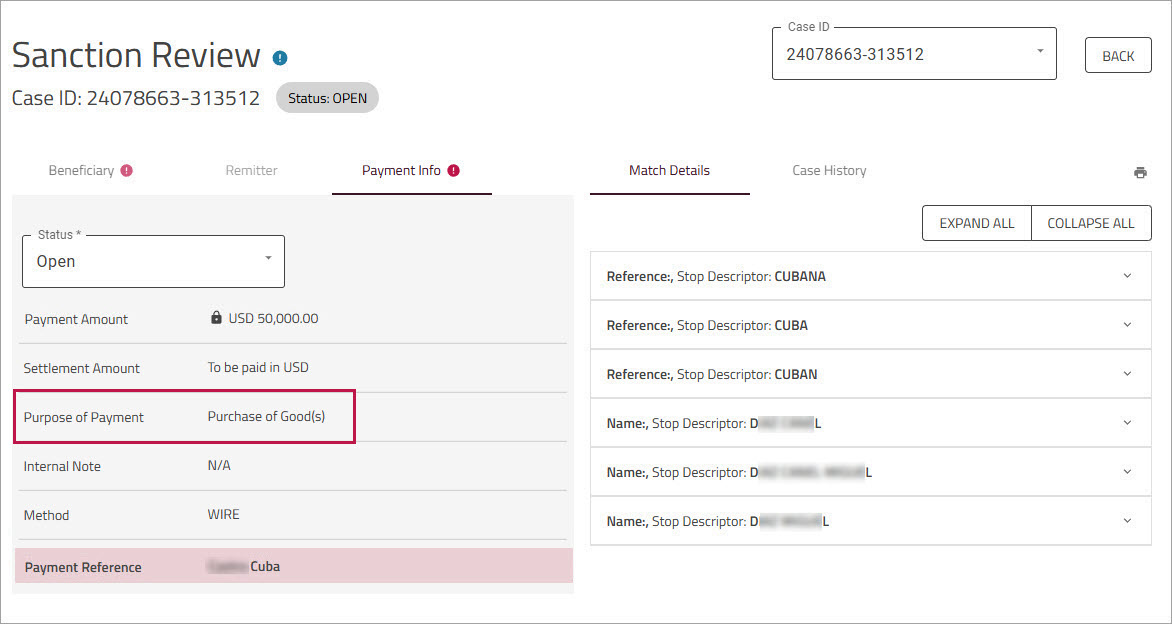
Introducing Compliance Center, our latest tool that allows financial institutions to pre-screen wire payments against their subscribed sanction lists, including OFAC, UN, and FBI. Users with relevant permissions can generate transaction screening reports (AML report), manage private lists for beneficiaries and remitters, and subscribe or unsubscribe from sanction lists. Post screening, the booked payments will go through Corpay's standard internal compliance queue. Compliance Center helps prevent transactions involving restricted individuals or entities and ensures compliance with international laws and regulations.
Note: Compliance Center is currently available only to financial institutions (including banks and credit unions) that are subject to OFAC regulations. Please speak with your account representative for more information.
Learn more → Compliance Center
Feature Update: Multi-Currency Accounts (MCA)
Users with appropriate MCA profile permissions can now assign custom nicknames to their Multi-Currency Accounts (MCA). The user-assigned nicknames will be displayed in the Multi-Currency Account grid and will also appear when selecting the account for payment or settlement. Users can also reset the nicknames to the original system-assigned names. This feature improves user experience by allowing customization of the Multi-Currency Account name, making it easier to identify the account in Corpay Cross-Border.
Learn more → Renaming a Multi-Currency Account
Security Update: Password Length Requirement
The minimum password length requirement for Corpay Cross-Border has been updated from eight to 12 characters. This change won't affect your current password and no action is needed unless you choose to update it. The new requirement will apply when you next change your password. All other existing password complexity rules will still apply. This update is part of our efforts to enhance account security through stronger passwords.
Learn more → Changing your password
Here’s a quick recap of the key updates made to Corpay Cross-Border in 2024:
Coming in 2025!
This year, we will be introducing new features and security enhancements to better protect your account and data. There are no changes in this release, but we will keep you informed as new features are added, and notify you if any action is needed.